
AT-Vault & AT-Mailtracker — Offline Security & Email Tools
Two security products created at Atelier Forge: (1) AT-Vault is an offline desktop password manager built with C++ and Qt6 that encrypts vaults locally using Libsodium (XChaCha20-Poly1305 and Argon2id) with zero cloud sync; (2) AT-Mailtracker is a Chrome extension that checks Gmail sender authentication (SPF, DKIM, DMARC) and tracks outbound email opens.
The Problem
Cloud password managers create a remote breach target, while everyday email apps hide the authentication signals that reveal spoofed or phishing emails.
The Solution & Architecture
Built AT-Vault to keep sensitive logins encrypted strictly on the user’s device, and AT-Mailtracker to give a plain safety verdict on Gmail threads in one click.
Key Features & Workflows
Supports separate local vaults unlocked with a master password derived using Argon2id and encrypted with XChaCha20-Poly1305.
Organizes stored logins with instant search, masked passwords, category labels, and 1-click copy and lock controls.
Generates high-entropy random passwords with customizable length and character options.
Stores login URLs, usernames, passwords, and encrypted recovery codes together offline.
Reads the active Gmail thread’s RFC 5322 headers to verify SPF, DKIM, and DMARC status without leaving your inbox.
Flags suspicious relay hops or spoofed headers in plain language and tracks outbound email opens.
Visual Showcase & Interface Layouts
Click any screenshot card to view details
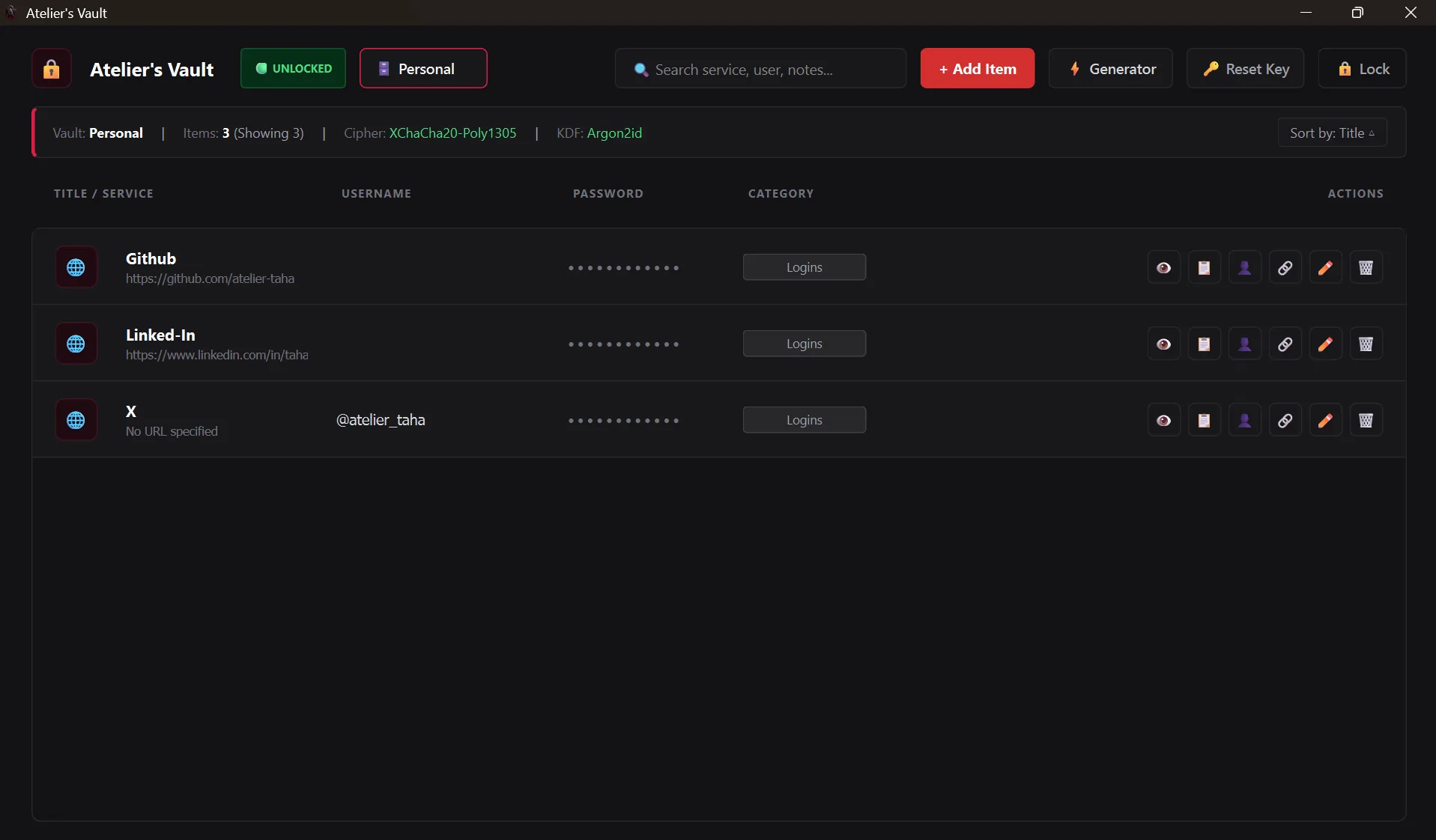
Desktop workspace with instant search, stored logins, masked passwords, and quick lock controls.
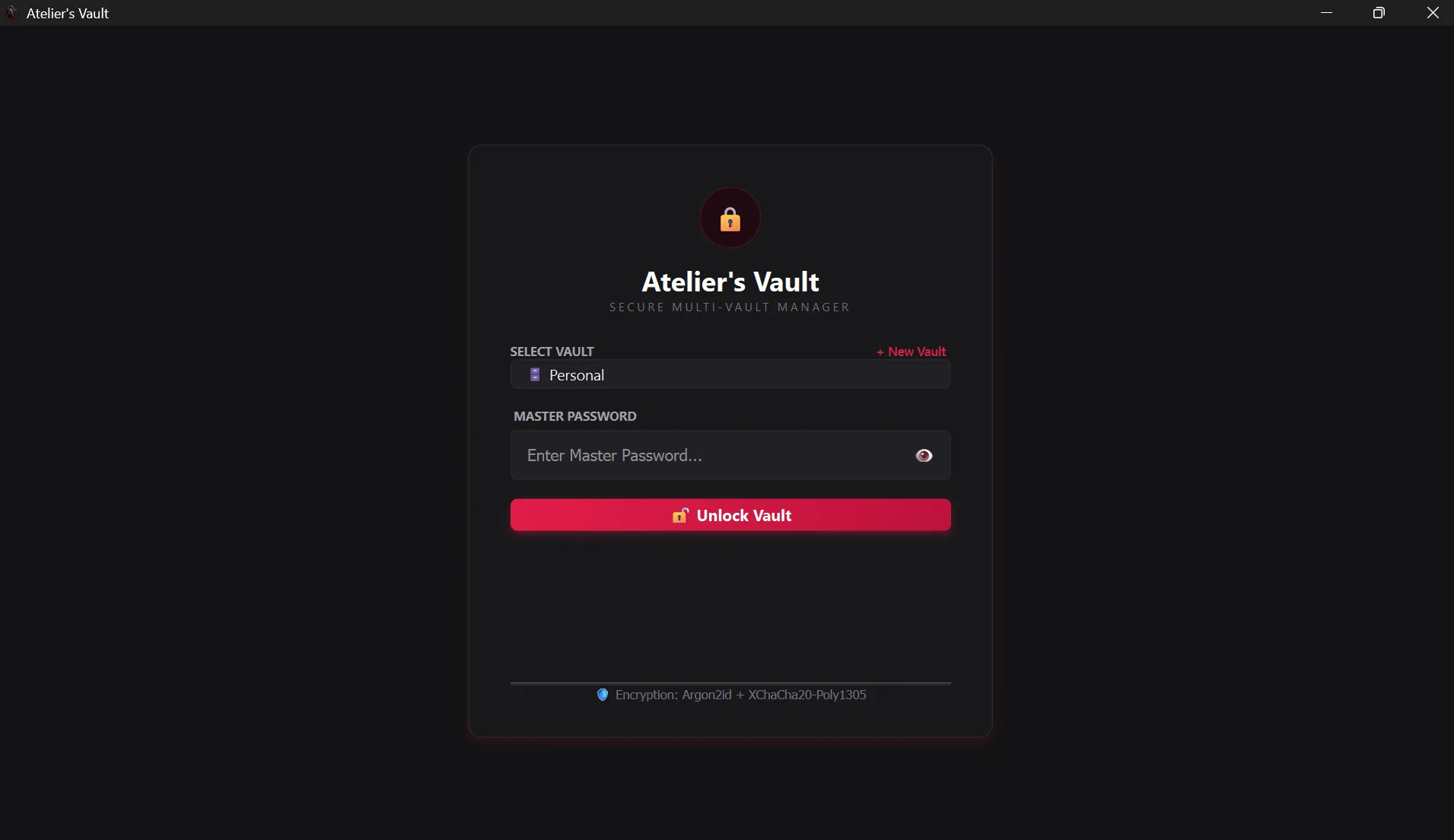
Desktop lock screen supporting multiple isolated local vaults protected by a master password.
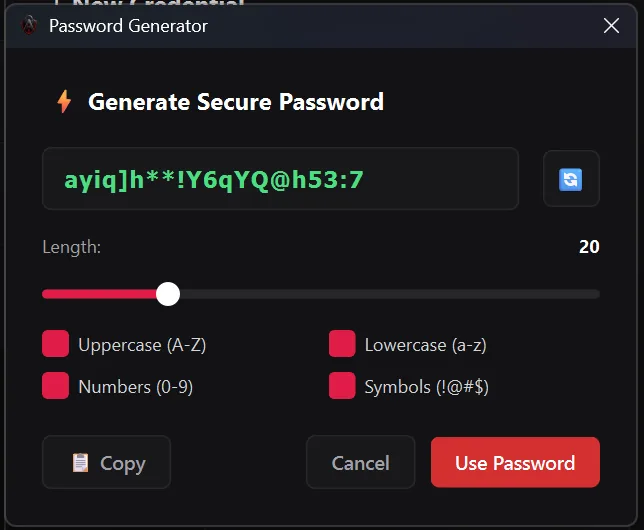
Generator dialog with adjustable length and character toggles for creating strong unique passwords.
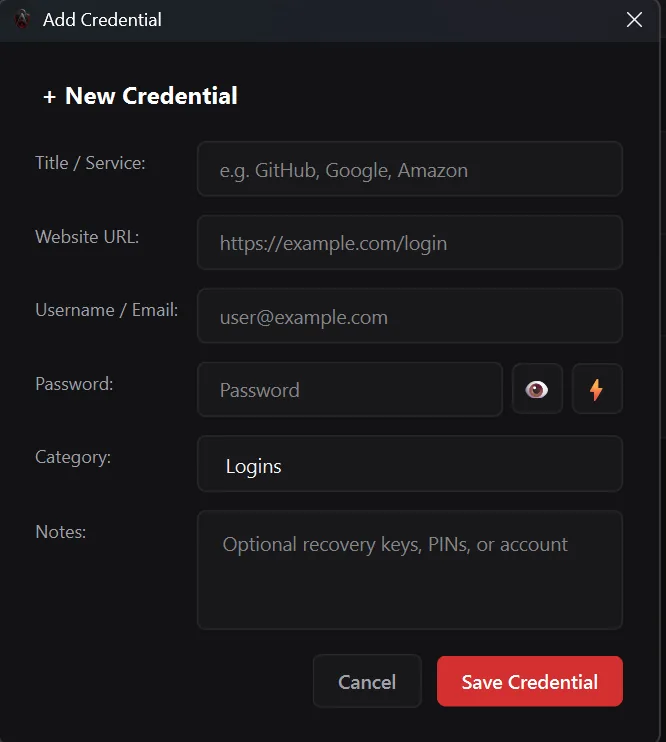
Form for saving service details, usernames, passwords, and encrypted recovery notes locally.
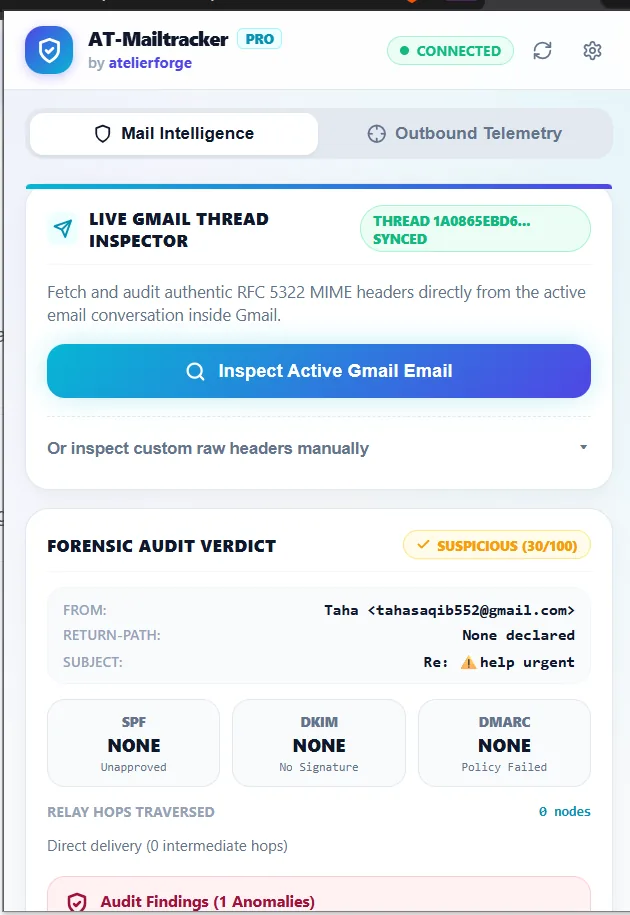
Chrome extension popup checking SPF/DKIM/DMARC authentication, relay hops, and suspicious header signals.
Try the Browser Password Generator Demo
Runs locally in your browser using Web Crypto randomness — nothing is sent to a server.
Verified Technology Stack
Architectural frameworks and libraries verified in this project implementation:
Implementation Outcome
Two working security tools demonstrating hands-on cryptography, desktop engineering, and browser security expertise.
Want Something Similar for Your Business?
Book a free 15-minute call and we'll send you a fixed quote with a clear timeline.